Home/Blog/Does Quiz-Based Learning Work? What the Research Actually Says

Does Quiz-Based Learning Work? What the Research Actually Says

Published August 22, 2026By 277hostingerroot@proton.me
Brain with memory circuits connected to quiz cards and a growth graph

Classroom quiz games can look like candy — points, memes, leaderboards. But strip the costume and what remains is retrieval practice with feedback, which happens to be one of the most robust findings in a century of learning research. This article summarizes what the science actually says about quiz-based learning, what it does NOT say, and how to run quizzing so the evidence works for your students.

The Core Finding: The Testing Effect

Across hundreds of studies going back over a century — with the modern wave anchored by Roediger and Karpicke's landmark 2006 experiments — the pattern repeats: retrieving information from memory strengthens it more than re-studying it. Students who practiced recall via testing reliably outperformed students who re-read the material, with the advantage GROWING at delayed follow-ups (a week or more). Re-reading feels productive and fades; retrieval feels harder and lasts. That "desirable difficulty" (Bjork's term) is the engine every quiz runs on.

The Supporting Cast of Findings

  • Spacing: distributed practice beats massed practice — the same questions spread across days outperform one long session. Weekly spiral quizzes are spacing operationalized (assignment scheduling automates it).
  • Feedback timing: retrieval plus prompt feedback beats retrieval alone — students must learn what was wrong while the attempt is fresh. Self-grading platforms deliver this by default.
  • Pretesting: even FAILED retrieval before instruction improves later learning — the "prequiz" primes the brain for the answer. A 3-question bell ringer on unintroduced content is legitimate pedagogy.
  • Interleaving: mixing problem types within practice beats blocked repetition — quizzes naturally interleave.
  • Low stakes are the condition: the memory benefits appear when quizzing is frequent and cheap; high-stakes pressure adds anxiety without adding learning (the formative-summative distinction in evidence form).

Brain with memory circuits connected to quiz cards and a growth graph

Does the GAME Layer Help or Hurt?

The honest answer: games multiply the DOSE, not the mechanism. Studies on gamified quizzing find engagement and participation gains — students voluntarily complete more retrieval reps inside a game — while the learning per rep comes from the same testing effect. Meta-analyses on gamification show positive but variable effects, strongest when game elements reward practice (streaks, replays) and weakest when they distract from it. Practical translation: the game earns its place by making students WANT the reps (platform landscape, implementation rules) — and speed pressure is the one element to watch, since it can penalize careful thinkers (turn timers off for practice; accommodations exist for a reason).

Running Quizzing So the Evidence Applies

  1. Frequent and small: 5–10 questions, several times weekly, beats one big review — this is the spacing curve, scheduled.
  2. Feedback attached: show answers after attempts (practice mode), and spend 90 seconds on the most-missed question — the report names it.
  3. Spiral 30%: every quiz carries a few questions from prior weeks — interleaving plus spacing in one habit.
  4. Keep grades out of practice: completion credit preserves honest errors, which are the diagnostic signal.
  5. Vary retrieval formats: MCQ, flashcards, short answer, exit tickets — different cues, stronger traces (question-writing quality still matters: the checklist).
  6. Pretest new units — three questions students "can't" answer yet, revisited at unit end for the visible-growth payoff.

What the Research Does NOT Claim

Quizzing is not a replacement for instruction (retrieval strengthens what was encoded; garbage in, garbage retained); leaderboard position is not a learning metric (grade from accuracy, never points); and no study licenses quiz-ONLY teaching — the effect is a powerful component of a diet, not the diet. Writing, discussion, projects, and explanation build what quizzing then consolidates.

Frequently Asked Questions

How much class time should retrieval take?

10–15 minutes daily across bell ringer + mid-lesson check + exit ticket captures most of the effect without eating instruction.

Does this work in every subject?

The testing effect replicates across facts, concepts, procedures, and languages; application-heavy goals need retrieval questions written at application level, not just recall.

Is multiple choice "real" retrieval?

Weaker than free recall per item, but still robustly effective — and its speed enables the frequency that drives the compound effect. Mix formats.

Where can I read the science?

Start with Roediger & Karpicke (2006), Dunlosky et al.'s 2013 review of learning techniques, and Bjork's desirable-difficulties work — all widely summarized online.

TheQuizizz.com is an independent guide. This article summarizes published research directions; consult the original studies for details.

Home/Blog/25 Vocabulary Practice Activities That Make Words Stick

25 Vocabulary Practice Activities That Make Words Stick

Published August 22, 2026By 277hostingerroot@proton.me
Students catching vocabulary word tiles flying from a giant dictionary

Students need multiple meaningful encounters with a word before they own it — copying definitions once is not an encounter, it is a formality. The vocabulary practice activities below give words those repeated, varied meetings: retrieval, production, play, and use in context. Twenty-five formats, from two-minute drills to week-long routines, for any subject's word list.

Quick Daily Drills (2–5 Minutes)

  1. Flashcard three-pile sort: got-it / shaky / missed, with shaky repeating — the method taught fully in our flashcards guide.
  2. Word of the day in context: use it in a sentence about current class content — as a bell ringer.
  3. Rapid synonym-antonym ping-pong: partner A says the term, partner B returns one synonym and one antonym.
  4. Odd one out: four terms, which doesn't belong and why — the "why" is the vocabulary work.
  5. Emoji definition: express the term in three emoji; class guesses.
  6. Micro-quiz: five self-graded questions (quick game or Form) — definition→term one day, term→context the next.

Production Activities (Words Get Owned by Use)

  1. Two-sentence stories: exactly two sentences using three target words correctly.
  2. The imposter paragraph: write a paragraph using five terms — one used WRONG; partners hunt the imposter.
  3. Frayer models, fast: definition, characteristics, example, non-example — the non-example quadrant does the heavy lifting.
  4. Word forms ladder: analyze → analysis → analytical → analytically; one term, all its costumes.
  5. Teach-a-word: each student owns one term and teaches it in 60 seconds (visual required).
  6. Concept maps: connect ten unit terms with labeled arrows — the labels are where understanding lives.
Students catching vocabulary word tiles flying from a giant dictionary

Game Formats

  1. Vocabulary charades: act the term, team guesses — abstract terms produce the best performances (brain break duty too).
  2. Pictionary sprints: whiteboard drawing, 45-second rounds.
  3. Taboo: define the term WITHOUT its three most obvious related words — brutal and brilliant for precision.
  4. Word wall bingo: boards from the unit wall; you read definitions, they mark terms.
  5. Live vocabulary games: term-definition sets in game mode with match and reorder question types (gamification tactics).
  6. Jeopardy vocabulary board: categories by word family or unit — formats in the Jeopardy guide.
  7. Quiz-quiz-trade: one word card each, quiz a partner, trade, repeat — whole-class motion with total participation.

Deep-Encounter Routines (Weekly)

  1. Semantic gradients: arrange freezing→cold→cool→tepid→warm→hot→scalding; argue the borders.
  2. Morphology Mondays: one root per week (spect, port, dict), students collect words containing it — vocabulary that compounds across years.
  3. Context clue detective: meet the word in three different sentences before ever seeing a definition; infer, then verify.
  4. Word autobiographies: where did this word come from, how did its meaning drift — etymology as story.
  5. Spaced cumulative quizzes: every Friday, 10 questions — 5 this week, 3 last week, 2 older (mastery settings automate it, reports show which words refuse to stick).
  6. Reading-based harvest: students nominate unknown words from real reading — the class list grows from encounters, not just curriculum (pair with comprehension checks).

The Weekly Mix That Works

Monday: introduce with context clues + flashcard deck drop. Tuesday–Thursday: one 5-minute drill daily plus one production activity. Friday: game + cumulative spaced quiz. That is four-plus encounters per word per week — the threshold where words start surviving to spring. Draft question sets and sentence banks fast with an AI generator; spend your saved time on the production activities AI cannot do for students.

Frequently Asked Questions

How many words per week is realistic?

8–12 taught deeply beats 25 copied once. Cut the list, raise the encounters.

Which single activity has the best effort-to-payoff?

The imposter paragraph — production, peer review, and error analysis in one ten-minute task.

Do these work for ELs?

Especially — add visuals to every format, allow first-language connections, and use read-aloud supports on digital drills.

TheQuizizz.com is an independent guide and is not affiliated with any platform mentioned.

Home/Blog/10 Review Games Like Jeopardy (And When Each Works Best)

10 Review Games Like Jeopardy (And When Each Works Best)

Published August 22, 2026By 277hostingerroot@proton.me
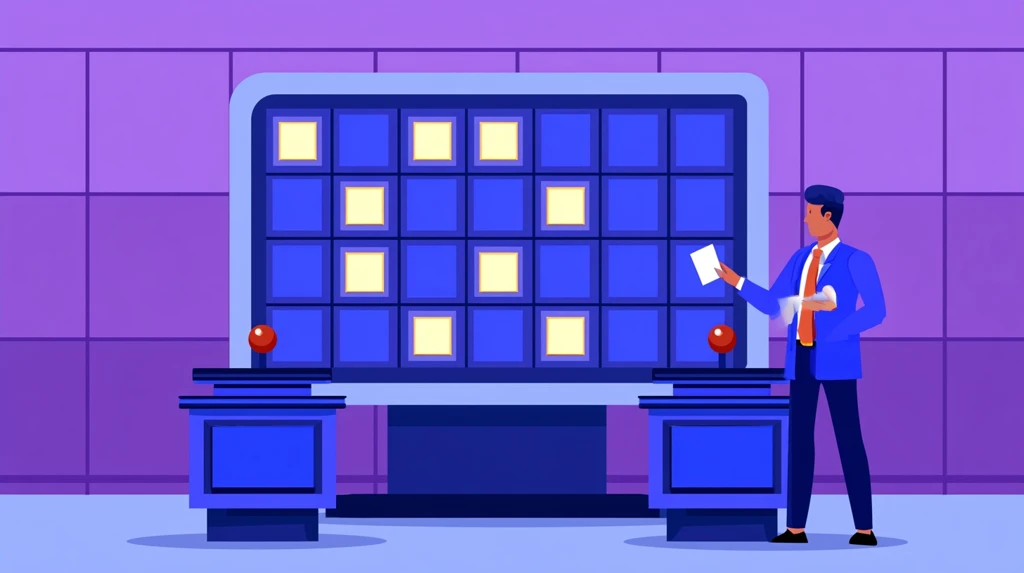
Classroom jeopardy board with team podiums and buzzers

Jeopardy earned its permanent spot in classrooms honestly: categories organize a unit, escalating point values build a difficulty ladder, and the board format turns review into an event. But Jeopardy is one member of a family — and some of its siblings fix its known flaws (one team answering while 28 students spectate, chief among them). Here are the best review games like Jeopardy, when each fits, and the hosting rules that keep any of them instructional.

The Jeopardy Family

1. Classic Jeopardy (the baseline)

5 categories × 5 values, teams pick tiles, points escalate. Build it in a dedicated tool with auto-scoring (Factile-style), a trivia maker, or a free slides template. Best for: end-of-unit synthesis with ceremony. Fix its spectator problem with one rule — every team writes every answer; only the choosing team scores full points, others earn half for correct written answers.

2. Double Jeopardy variants

Hidden daily-doubles, wager rounds, and a final question with betting — the drama layers that make the last ten minutes electric. Steal the wager mechanic even for other games.

3. Reverse Jeopardy (answers first)

Show the answer; teams supply the question — surprisingly rigorous, since forming the question requires deeper processing than answering it.

Faster-Paced Alternatives

4. Grudgeball

Teams erase each other's X's on correct answers — alliance drama included. Higher energy than Jeopardy, same question bank (full setup).

5. Trashketball

Correct answer earns a shot at the bin from 1/2/3-point lines. Half the setup of Jeopardy, twice the noise, ideal for younger grades and Fridays (more Friday formats).

6. Baamboozle-style card boards

Pick a numbered card, answer, gain (or comically lose) points — the randomness keeps weak teams alive, no student devices needed.

7. Wheel formats

Spin for category and value — Jeopardy's structure with a game-show wheel's unpredictability; most trivia makers include one.

Classroom jeopardy board with team podiums and buzzers

Every-Student-Answers Alternatives

When you want the game AND per-student data, move the board onto devices:

8. Wayground Team mode

Team competition where every student answers every question and scores average — Jeopardy's energy without its spectator flaw, plus a report naming what to reteach (setup).

9. Gimkit / Blooket modes

Game-economy and arcade wrappers where the "board" is the game world — strategy for older students (Gimkit), arcade pull for younger (Blooket).

10. The hybrid: board + devices

Project the Jeopardy board for category-picking ceremony, but collect every answer through a response system — ceremony plus data, the best of both.

Hosting Rules That Keep It Instructional

  1. Everyone writes every answer — the single rule that converts spectacle into retrieval.
  2. Escalate genuinely: top-value questions demand application ("solve," "explain why," "predict"), not obscurity. Draft ladders fast with an AI generator, then edit.
  3. Debrief the misses: 90 seconds on the two most-missed questions after the game beats ten more questions.
  4. Mine your data for the board: lowest-accuracy questions from the unit's reports belong in the 400–500 rows.
  5. Cap at 35 minutes and end with a one-question exit ticket — did the review land?

Frequently Asked Questions

What is the best free Jeopardy maker?

Factile's free tier for authentic buzzer play; a Google Slides template for total control at zero cost; Baamboozle for the no-device version.

How do I keep one strong team from running away?

Wager rounds, steal rules, and random daily-doubles add comeback paths — or switch to averaged-score formats like Team mode.

Jeopardy for vocabulary specifically?

Works well — but see our vocabulary activities for formats built for word learning.

TheQuizizz.com is an independent guide and is not affiliated with any platform mentioned.

Home/Blog/30 Brain Breaks for Students That Reset Any Classroom (K-12)

30 Brain Breaks for Students That Reset Any Classroom (K-12)

Published August 22, 2026By 277hostingerroot@proton.me
Students stretching and jumping beside desks during a brain break

Attention is a consumable. Around the 15–20 minute mark (younger students: sooner), working memory clogs, fidgeting spikes, and instruction stops landing — not because students stopped caring, but because brains buffer-overflowed. A brain break is the two-minute reset that flushes the buffer. Here are 30 that work from kindergarten to senior year, sorted by the kind of reset your class needs right now.

Movement Resets (Energy Too Low)

  1. Stand and stretch sequence: 60 seconds, arms-shoulders-neck, back to work. The minimum viable break.
  2. Cross-crawls: opposite elbow to knee ×20 — crossing the midline is the classic refocus move.
  3. Desk push-up set: 10 desk push-ups + 10 chair squats; older students respect the mini-workout framing.
  4. Silent speed walk: one lap of the room, zero talking, back in seats by the timer.
  5. Rock-paper-scissors tournament: losers become winners' cheering section — 90 seconds to a champion.
  6. Invisible jump rope: 30 seconds; sillier than it sounds, works better than it should.
  7. The wave: around the room until it is smooth — collective timing as a focus reset.

Calming Resets (Energy Too High)

  1. Box breathing: in-4, hold-4, out-4, hold-4, ×4 — projected visual timer helps.
  2. 5-4-3-2-1 senses: five things you see, four hear, three feel… the grounding classic.
  3. One-minute doodle: one prompt ("draw the weather inside your head"), no rules, pencils down at the bell.
  4. Head-down listening: one instrumental track, lights dimmed, 2 minutes. Post-lunch gold.
  5. Slow-motion stretch: the stretch sequence at quarter speed — moving meditation without the framing.
  6. Palm press and release: press palms hard 5 seconds, release, ×5 — tension out through the hands.
Students stretching and jumping beside desks during a brain break

Cognitive Switches (Attention Drifted)

  1. Would You Rather: one juicy question, hands or corners, 90 seconds of debate.
  2. Category ping-pong: pairs alternate naming items in a category until someone stalls.
  3. Backwards alphabet race or count-by-7s — a hard cognitive gear-change resets the working set.
  4. One-song trivia burst: 3 fun questions on a game platform, music on — the Friday formats in micro-dose.
  5. Twenty questions: one mystery object, class narrows it down — inference practice in disguise.
  6. Riddle of the day: post it, let it simmer, reveal after the next work block — delayed closure holds attention.
  7. Story chain: one sentence each around a row — collaborative nonsense, guaranteed laughter.

Content-Adjacent Breaks (Sneaky Review)

  1. Vocabulary charades: this unit's terms, acted out (more vocab formats).
  2. Human bar graph: stand on an answer line — opinion or review question, bodies as data.
  3. Speed teach: 60 seconds, teach your neighbor one thing from today, swap.
  4. Lightning round: 5 review questions, game mode, no stakes (quick-launch guide) — a break that is secretly retrieval.
  5. Gallery glance: stand, examine one poster/anchor chart, report one detail you never noticed.

Zero-Prep Standbys

  1. Simon Says — never dies, K-12 (seniors play harder than freshmen).
  2. Silent ball — soft ball, no talking, drop = sit; the ancient technology still works.
  3. Weather report: everyone states their internal weather in two words — SEL check disguised as a break.
  4. Desk drum pattern: teacher taps rhythm, class echoes, escalate complexity.
  5. The 90-second tidy: music on, room reset, done — a break that pays rent.

Using Them Well

Schedule breaks BEFORE the crash (every 20–25 minutes of instruction; watch for the fidget wave as your signal), keep them to 2–3 minutes with a clear re-entry cue, and match type to symptom — movement for slumps, calming for chaos, cognitive for drift. Pair with your bell ringer and exit ticket routines and the period gains a rhythm students can feel. The research case for all of it lives in our learning science explainer — attention management IS learning management.

Frequently Asked Questions

Do older students need brain breaks?

High schoolers need them MORE (longer periods, heavier cognitive load) — they just need formats with dignity: cognitive switches, mini-workouts, music.

How do I stop breaks from derailing the class?

Timer visible, re-entry cue rehearsed, same 5–6 formats in rotation — routine makes the return automatic.

Are brain breaks evidence-backed?

Attention restoration and movement-cognition links are well-supported; the practical evidence is your own room — try two weeks and watch the last 15 minutes of class change.

TheQuizizz.com is an independent guide.

Home/Blog/Formative vs Summative Assessment: Examples & When to Use Each

Formative vs Summative Assessment: Examples & When to Use Each

Published August 22, 2026By 277hostingerroot@proton.me
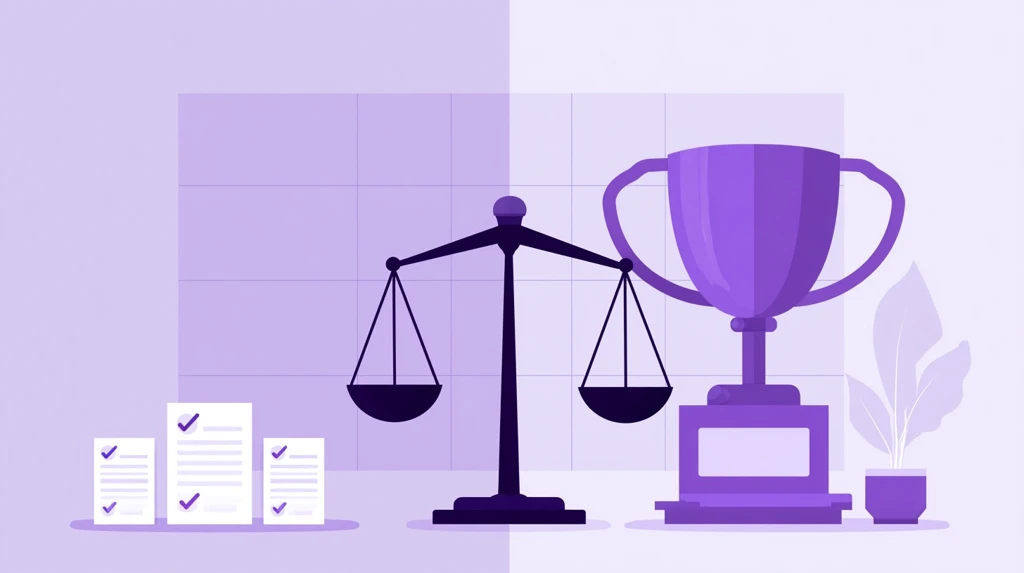
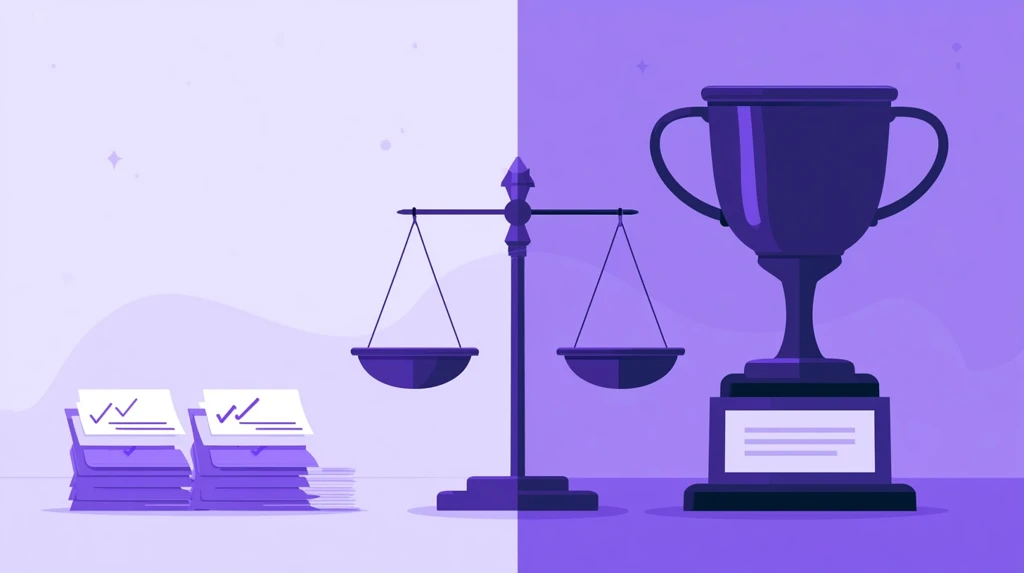
Balance scale weighing daily formative checks against a summative exam trophy

Formative vs summative assessment is the distinction every education course teaches and half of practice ignores — because the names describe timing, but the real difference is what happens to the result. If the result changes tomorrow's teaching, it was formative. If it certifies learning for the record, it was summative. This explainer nails the distinction with concrete examples, shows where the line blurs, and gives the practical mix that serves real classrooms.

The Core Distinction in One Table's Worth of Words

Formative: assessment FOR learning. Low or no grade weight. Frequent, small, fast. Audience: the teacher (what do I reteach?) and the student (what do I fix?). Failure is information, not damage.

Summative: assessment OF learning. Grade-bearing. Infrequent, comprehensive, secured. Audience: the gradebook, transcripts, families, institutions. Failure has consequences — which is exactly why it should never be the first signal of trouble.

Formative Examples (The Everyday Toolkit)

  • Exit tickets: one question at the bell — tomorrow's lesson plan in disguise (25 formats).
  • Bell ringers: retrieval warm-ups whose miss-rate steers the period.
  • Live checks mid-lesson: every-student responses via response systems; a 60/40 split triggers peer discussion, not a grade.
  • Practice games: a Wayground review round whose report picks the reteach — the score dies after informing you.
  • Drafts, whiteboards, observations: anything you respond to before it counts.
Balance scale weighing daily formative checks against a summative exam trophy

Summative Examples

  • Unit tests and finals: secured conditions (settings checklist), one attempt, graded.
  • Projects and performances against a rubric, at the end.
  • Standardized and state tests: summative at institutional scale.
  • Certification checks in training contexts — pass/fail with records.

Where the Line Blurs (And That's Fine)

The same instrument can be either — it is the USE that classifies it. A 10-question quiz is formative on Tuesday (practice, feedback shown, no grade) and summative on Friday (secured, graded). Retake systems blur productively: a mastery quiz with unlimited attempts where the highest counts (attempt settings) is summative in record but formative in spirit — students iterate until competent, and the grade reports the endpoint. Most modern grading debates are really arguments about where to draw this line.

The Ratio That Serves Learning

Practice-heavy classrooms run roughly 10 formative touches for every summative event — daily micro-checks, weekly practice cycles, unit-level certification. Two failure modes to avoid: the all-summative classroom (every quiz graded → students hide confusion → the test is the first diagnosis, too late) and the all-formative classroom (endless practice, no certification → effort drifts without stakes). The formative tools guide covers instrumenting the first half cheaply.

Grading Implications Worth Stealing

  1. Weight summative heavily, formative barely (completion credit at most) — honesty in practice data depends on it.
  2. Never grade the first attempt at anything — first attempts are formative by definition.
  3. Let summative retakes exist with a mastery bar — certifying eventual competence is still certification.
  4. Read formative trends before summative events — a report trail predicts the test; use the prediction to intervene, not just to brace.

Frequently Asked Questions

Is homework formative or summative?

Should be formative (practice with feedback, light weight). Grading homework for accuracy converts it to summative and invites copying.

Can one assessment be both?

Functionally yes — a graded unit test you also mine for reteaching serves both masters. The classification follows the primary use.

What about participation grades?

Neither — participation measures behavior, not learning. Keep it out of both buckets.

How do digital tools change this?

They collapse the cost of formative to near zero — self-grading checks, instant reports — which removes the last excuse for assessment-poor teaching. The free tier landscape covers the whole loop.

TheQuizizz.com is an independent guide and is not affiliated with any platform mentioned.

Home/Blog/30 Fun Friday Quiz Ideas Students Actually Love (2026)

30 Fun Friday Quiz Ideas Students Actually Love (2026)

Published August 22, 2026By 277hostingerroot@proton.me
Confetti over a fun Friday classroom quiz game on the projector

The last period on Friday is its own biome — attention is spent, energy is weird, and fighting it is a losing game. The move is to ride it: a well-chosen fun Friday quiz converts dead time into retrieval practice students volunteer for. Here are 30 quiz ideas that keep Fridays fun without becoming pure time-fill, sorted by how much content you can smuggle in.

High Content, High Fun (The Sweet Spot)

  1. The Week in Review Championship: 15 questions from this week only, Team mode, winners pick Monday's music. The classic that never dies (setup templates).
  2. Two Truths and a Lie: Unit Edition: students write theirs Wednesday, best ones become Friday's game.
  3. The Mistake Hunt: every question shows a wrong answer — teams explain WHY it's wrong for points.
  4. Student-Authored Showdown: groups submit questions all week (AI-assist drafting, their editing); Friday plays the best 20. Authorship is stealth review.
  5. Speed-Round Spiral: 20 questions sampling the whole semester — streak bonuses reward the long memory (power-ups on).
  6. The Comeback Game: replay the unit's WORST-scored quiz from earlier (your report knows) — the visible improvement IS the reward.
  7. Category Ladder: Jeopardy-style board mixing 4 content categories + 1 joke category (trivia maker formats).
  8. Beat the Teacher: you play too, projected; every student who outscores you earns a small privilege. They will study to beat you.

Medium Content, Maximum Laughs

  1. Meme Match: match memes to unit concepts, defend your pairing.
  2. Emoji Summaries: guess the lesson/chapter/event from 3 emoji; then teams write their own.
  3. Wrong Answers Only: the most creatively wrong answer wins the round — surprisingly diagnostic of what right looks like.
  4. Almost-Trivia: content questions with one absurd option that is ALMOST plausible — students learn distractor logic by laughing at it.
  5. The Impersonation Round: answer as the historical figure/character/element would.
  6. Sound Effects Round: phenomena, events, or vocabulary — identified from teacher-performed sound effects. Dignity optional.
  7. Draw It: one teammate draws the vocabulary term, team guesses — whiteboard Pictionary with your word list.
Confetti over a fun Friday classroom quiz game on the projector

Pure Fun (Relationship Capital)

  1. Class Culture Quiz: inside jokes, class memories, "who said it" — belonging fuel.
  2. Teacher Trivia: facts about you (kept appropriate); they are more curious than you think.
  3. Pop Culture Ladder: current music/games/shows — let students submit questions Thursday.
  4. Guess the Baby Photo / Pet Match: staff or class edition, consent first.
  5. Would You Rather: Curriculum Edition: "live in ancient Rome or medieval Japan?" — debate follows free.
  6. The Impossible Quiz: genuinely hard general trivia, teams, no stakes — struggle together happily.
  7. Season Specials: holiday-adjacent trivia (Earth Day style, Pokémon, anime, NBA — our ready-made sets work as-is).

Formats That Change the Energy

  1. Tournament Bracket Month: four Fridays, cumulative team standings, championship on the last one.
  2. Around the World: stations with QR-coded mini-quizzes; teams rotate the room.
  3. Silent Game: Test mode, zero talking, dramatic reveal at the end — weirdly beloved (quiet settings).
  4. Lightning Rounds: three 5-question games with standing/stretching between (brain break pairings).
  5. Team Draft Day: captains draft teams game-show style before playing — the drafting is half the fun.
  6. The Wager Round: teams bet points on their confidence per category before seeing questions.
  7. Homework Amnesty Stakes: winning team gets one homework pass — suddenly everyone cares.
  8. Choose the Next Unit's Fun Topic: the winning team picks the theme of a future Friday — self-perpetuating motivation.

Making Fridays Sustainable

Rotate three formats per month (novelty without chaos), reuse question banks across formats, keep games to 20–25 minutes with a real closer after (a light exit ticket lands fine even on Fridays), and let students own increasing shares of question-writing — by spring, Friday runs itself. Setup mechanics live in the teacher guide.

Frequently Asked Questions

Doesn't fun Friday waste instructional time?

Retrieval-based games ARE instruction — the research on spaced retrieval is unambiguous (evidence summary). The pure-fun formats buy relationship capital that repays itself Monday.

What about classes that get too rowdy?

Team formats with averaged scores, silent-game weeks, and the wager round (strategy calms rooms) — energy shaped, not suppressed.

Best zero-prep option for a surprise Friday?

The Week in Review from your existing question bank, or any public set from the library — 90 seconds from decision to game code.

TheQuizizz.com is an independent guide and is not affiliated with any platform mentioned.

Home/Blog/Teacher Discounts on Technology: Laptops, Software & More (2026)

Teacher Discounts on Technology: Laptops, Software & More (2026)

Published August 22, 2026By 277hostingerroot@proton.me
Discount tags floating around laptop tablet and headphones for teachers

Teachers subsidize their own classrooms every year — so it makes sense to claim every educator discount the industry offers. In 2026 those discounts span laptops, tablets, software, phone plans, and everyday retail, but they hide behind verification portals most teachers never open. Here is the map, plus the verification setup that unlocks all of it in one evening.

Step 1: Get Verified Once

Most education discounts route through verification services (ID.me, SheerID and similar) that confirm educator status from a school email or credential. Set this up once with your school email, and dozens of offers unlock without re-proving anything. Tip: your .edu or district email is itself a key — many vendors accept it directly.

Computers & Tablets

  • Apple Education pricing: year-round educator pricing on Macs and iPads plus seasonal bundles (typically back-to-school gift cards or accessories). No verification wall for the education store, deeper institutional pricing through schools.
  • Microsoft & Surface education discounts: discounted devices and free Microsoft 365 Education with a school email — check office.com/getoffice365 style eligibility with your address.
  • Dell, HP, Lenovo education stores: rotating educator pricing, often stackable with clearance — the practical route to a capable laptop under budget. Our device guide for teachers covers which specs matter.
  • Refurbished programs: manufacturer-refurbished with warranty routinely beats new-with-discount — check certified refurb stores before paying education price for new.
Discount tags floating around laptop tablet and headphones for teachers

Software & Subscriptions

  • Adobe Creative Cloud: the education rate is a fraction of standard pricing — the single biggest software saving on this list.
  • Canva for Education: free premium for verified K-12 teachers — includes the full template and AI feature set.
  • Notion, Evernote, productivity apps: free or discounted education plans with school email.
  • Classroom platforms: most run real free tiers (quiz makers, formative tools) — pay only when a specific limit blocks you (what paid actually adds).
  • Antivirus/VPN/cloud storage: education pricing exists across the category; search "[product] education discount" before renewing anything at retail.

Connectivity & Everyday Tech

  • Phone plans: major US carriers run teacher discounts (typically 10–25% off plans) behind verification.
  • Home internet: educator and low-income programs vary by provider and region — worth one support-chat question.
  • Audio and accessories: several headphone and peripheral brands run education stores; also check district purchasing portals for personal-purchase programs.

Retail, Books & Supplies

  • Bookstores & educator cards: chain educator programs give 20%-ish discounts on classroom purchases year-round with bigger appreciation events.
  • Craft/office supply chains: teacher discount days and always-on percent-off programs with school ID.
  • Teacher appreciation season (May): the annual wave — restaurants, retail, and tech vendors stack offers; verification services publish roundup lists worth checking that week.
  • Classroom funding beats discounts: for bigger asks, a funded grant or DonorsChoose project outperforms any coupon.

How to Never Miss One Again

  1. Verify once with ID.me/SheerID and keep the login handy.
  2. Before ANY tech purchase, search "[product] education discount" — 30 seconds, hits more often than not.
  3. Buy devices in education-bundle seasons (July–September, December).
  4. Ask your district about personal-purchase programs — many negotiate employee pricing teachers never hear about.

Frequently Asked Questions

Do these work for homeschool teachers and tutors?

Varies: some verifiers accept homeschool documentation and tutoring businesses; retail educator cards usually do. Check each program's eligibility list.

Can I use education pricing for personal devices?

Apple/Dell/HP education stores explicitly cover personal purchases by educators. District-negotiated programs may differ — read the terms.

What is the single most valuable discount?

By dollar value: Adobe education pricing and free Microsoft 365/Canva tiers; by daily impact: whatever gets a faster laptop into your bag.

Do discounts stack with sales?

Often yes on manufacturer stores (education price applies to clearance too). Retail stacking varies by chain.

TheQuizizz.com is an independent guide. Offers change frequently — verify current terms with each vendor before purchase.

Home/Blog/30 Free STEM Resources for K-12 Teachers (2026 Edition)

30 Free STEM Resources for K-12 Teachers (2026 Edition)

Published August 22, 2026By 277hostingerroot@proton.me
Rocket microscope and robot floating above a laptop for STEM learning

STEM teaching is expensive only if you buy everything. The free layer of STEM education — simulations, curricula, coding platforms, datasets, robotics alternatives — is now deep enough to run engaging units at every grade band without a purchase order. Here are 30 free STEM resources worth bookmarking in 2026, organized by what you teach.

Science Simulations & Virtual Labs

  1. PhET Interactive Simulations — the gold standard: hundreds of physics, chemistry, and math sims that run in any browser.
  2. NASA's education portals — mission data, imagery, lesson plans, and student challenges across earth and space science.
  3. NOAA education resources — weather, climate, and ocean data with classroom activities.
  4. Virtual dissections and anatomy tools — browser-based alternatives that solve budget and ethics in one move.
  5. Molecular viewers — free protein and molecule visualization for chemistry and biology.
  6. Smithsonian Science Education — free units and 3D-printable museum objects.

Coding & Computer Science

  1. Code.org — full K-12 CS curriculum, teacher training included, the default starting point.
  2. Scratch — block coding for elementary/middle creativity; the community remix culture is the curriculum.
  3. MIT App Inventor — real mobile apps with blocks; the "I made an actual app" effect is unmatched.
  4. CS First (Google) — themed Scratch units with videos, zero teacher CS background needed.
  5. Micro:bit classroom + simulator — physical computing that works even without the hardware via the browser simulator.
  6. Replit / browser IDEs — real Python and JavaScript with nothing installed — critical on locked-down Chromebooks.
Rocket microscope and robot floating above a laptop for STEM learning

Math

  1. Desmos — the graphing calculator plus a classroom activity platform teachers build careers on.
  2. GeoGebra — geometry, algebra, and 3D visualization with a massive shared activity library.
  3. Khan Academy — the practice backbone: mastery paths, videos, teacher dashboards.
  4. Open middle problems — the problem format that turns procedure into puzzling, free by design.
  5. Estimation and 3-act task collections — the community sites keeping math argument-rich at zero cost.

Engineering & Making

  1. Tinkercad — 3D design, circuits, and codeblocks in the browser; the on-ramp to CAD.
  2. NASA/engineering design challenge packs — structured build challenges from cheap materials.
  3. Paper-based engineering — bridge, tower, and glider challenge libraries: cardboard is a legitimate lab.
  4. Instructables education — project walkthroughs with teacher notes.

Data Science & Real Datasets

  1. Public data portals (census, weather, sports, health) — real questions beat toy datasets.
  2. Google Sheets + charts — the free data-science stack schools already have.
  3. CODAP — drag-and-drop data exploration built for classrooms.

Assessment & Review for STEM Classes

  1. Wayground — self-graded STEM review with math input and diagram questions; the library's science sections are deep (search tips), and homework mode handles spiral practice.
  2. AI question generators — draft concept checks from your unit text (workflow, passage-based version).
  3. Formative — show-your-work digital labs and problem sets (full toolkit).

Enrichment & Inspiration

  1. Citizen science projects — real research participation (bird counts, galaxy classification) from any classroom.
  2. STEM career video libraries — short "day in the life" clips that answer "when will we use this" with faces.
  3. Competition ladders — free-entry math, coding, and science olympiad prep materials that double as extension work.

Making Free Resources Stick

Free tools fail from abundance, not quality — pick one sim source, one practice platform, and one project format per semester, and wire them into your routine (bell ringers from Desmos or PhET screenshots; exit tickets after every lab). And if hardware is the gap, our grants guide covers the funding routes teachers actually win.

Frequently Asked Questions

Are these genuinely free or freemium traps?

Everything listed has a no-payment classroom path; a few (Khan, Wayground, Formative) sell upgrades that classrooms can ignore.

What about student accounts and privacy?

Most support join-without-account modes or Google SSO; check your district's approved list before rostering names.

Best single starting point for a new STEM teacher?

PhET + Desmos + Code.org covers sims, math, and CS with three bookmarks.

TheQuizizz.com is an independent guide and is not affiliated with any resource mentioned.

Home/Blog/Student Engagement Strategies That Work in High School (2026)

Student Engagement Strategies That Work in High School (2026)

Published August 22, 2026By 277hostingerroot@proton.me
High school students collaborating energetically around a table

High schoolers are not disengaged because content is boring — they are disengaged because most class periods ask nothing of them until the test. The fixes that work at 16 are not the fixes that work at 8: adolescents respond to autonomy, competence made visible, relevance, and peers. Here are the strategies that move those four levers, drawn from what actually survives contact with fourth period.

Lever 1: Autonomy (Choice Within Structure)

Choice in demonstration

Same standard, three ways to prove it — essay, recorded explanation, annotated problem set. Rigor stays; resistance drops. Choice boards structured as skill trees (gamification guide) formalize it.

Choice in practice order

A practice menu for the week beats a nightly worksheet — same total work, student-sequenced. Completion rises when the sequencing is theirs.

Student-authored questions

Groups write the review questions (drafting help from an AI generator they edit); the best make Friday's game. Authorship is the deepest engagement there is.

Lever 2: Competence Made Visible

Total-participation checks

Every student answers every question — response systems make it automatic, and the private-answer format protects teens from public error while still demanding commitment. Daily bell ringers and exit tickets bookend the period with it.

Progress they can see

Adolescents grind games because progress is visible. Skill trackers, mastery retakes ("highest attempt counts" via assignment settings), and before/after comparisons make growth undeniable — the antidote to "I'm just bad at math."

Competition, carefully

Team-based competition with averaged scores (Team mode) delivers the energy without singling anyone out; review-day formats in our template library. Individual leaderboards are for volunteers only.

High school students collaborating energetically around a table

Lever 3: Relevance (Real Stakes, Real World)

The "why now" opener

One current headline, one connection to today's content, two minutes. Works in every subject; costs one browser tab of prep.

Authentic audiences

Work that leaves the room — published writing, presentations to underclassmen, community proposals — is work teens revise voluntarily. The audience is the assignment's engine.

Skills named as skills

"This is the analysis colleges grade" and "this is the writing jobs pay for" — naming transfer explicitly lands with juniors and seniors planning exits.

Lever 4: Peers (Structured, Not Hoped-For)

Think-pair-share with accountability

The old structure works when the share is sampled randomly — commitment first (write), then pair, then cold-call from pairs (softer than individual cold-calls, still universal).

Peer instruction on wrong answers

When a live check shows a 60/40 split, "convince your neighbor" for ninety seconds, then re-vote — the re-vote swing is the lesson (and visible in your data).

Jigsaw with real interdependence

Each student masters a piece the group genuinely needs — engagement through being needed, the most under-used adolescent motivator.

What Doesn't Work (Saved You the Semester)

Points for compliance (teens see through token economies), fun-without-content (they resent time-wasting more than difficulty), participation grades on hand-raising (measures extroversion), and surprise cold-calls without think time (produces silence and resentment, not engagement).

A Realistic Period Structure

Five-minute bell ringer (retrieval, self-graded) → 15 minutes instruction broken by two total-participation checks → 20 minutes practice with choice (menu or stations) → five-minute exit ticket feeding tomorrow's opener. Every lever, every day, no heroics — the routine IS the engagement strategy (tools that support it here).

Frequently Asked Questions

What is the fastest strategy to implement tomorrow?

Total-participation checks — one platform, every student answering, the passive back row abolished in one period.

How do I engage the checked-out senior?

Relevance and autonomy first: one real-world connection to their post-graduation plan, one real choice in how they work. Competence follows.

Do phones help or hurt?

As response devices under a clear norm (out for the check, away after), they help; as ambient temptation, they hurt. The structure decides, not the device.

TheQuizizz.com is an independent guide and is not affiliated with any platform mentioned.

Home/Blog/25 Digital Exit Ticket Ideas That Take 5 Minutes or Less

25 Digital Exit Ticket Ideas That Take 5 Minutes or Less

Published August 22, 2026By 277hostingerroot@proton.me
Wall of colorful exit ticket sticky notes beside a classroom door

You know exit tickets work — the question is keeping them fresh enough that students engage and light enough that you actually run them daily. These 25 digital exit ticket ideas are sorted by what you want to learn from them; every one takes five minutes or less of class time and works on whatever devices you have. (For tools and templates, our exit ticket generator guide covers the setup side.)

Checking Understanding (The Core Ten)

  1. The 3-question micro-quiz: two on today, one spiraled from last week — self-graded in a Wayground assignment so results are sorted before you sit down.
  2. Find the error: a worked example with one planted mistake; students name and fix it.
  3. The reworded reteach: yesterday's most-missed question (your report knows), rephrased — did the reteach land?
  4. Rank the three: three concepts ranked by importance/size/date with one-line justification — ordering reveals understanding MCQs miss.
  5. Which doesn't belong: four items, any defensible answer accepted — the justification is the assessment.
  6. One-sentence summary: today in exactly 15 words. Compression forces selection.
  7. The application flip: "Where would this show up outside school?" — transfer check in one line.
  8. Predict the next step: "Based on today, what do you think we learn tomorrow and why?"
  9. Diagram label sprint: blank diagram, four labels, three minutes.
  10. The confidence pair: answer one question AND rate confidence 1–4 — high-confidence wrong answers are your reteach list.

Surfacing Confusion

  1. Muddiest point: the classic — "what's still fuzzy?" Anonymous options raise honesty.
  2. Question for the teacher: every student submits one real question; answer the top three tomorrow.
  3. Stoplight: green/yellow/red on today's objective plus one word why — a 30-second whole-class scan.
  4. "I almost understand…": the sentence stem that catches partial understanding before it calcifies.
  5. Trade-a-question: write one quiz question with answer; tomorrow's bell ringer uses the best student-authored ones.
Wall of colorful exit ticket sticky notes beside a classroom door

Reflection & Metacognition

  1. 3-2-1: three learned, two connections, one question — the durable classic.
  2. Study-plan commit: before a test — "which topic gets your 20 minutes tonight and why?"
  3. Strategy audit: "What did you do when you got stuck today?" — surfaces (and spreads) coping strategies.
  4. Teach it back: explain today's idea to a younger sibling in two sentences.
  5. Growth snapshot: "What can you do today you couldn't Monday?" — Friday's best question.

Quick & Fun (Fridays and Low-Energy Days)

  1. Emoji summary: today's lesson in three emoji plus one explaining sentence.
  2. Meme match: pick which of three memes fits today's topic and defend it.
  3. Headline it: write the news headline for today's class.
  4. Two truths and a lie about the unit — students write, tomorrow the class votes (doubles as review content for game day).
  5. The one-word door pass: one word capturing today, said aloud on the way out — zero tech, full participation, and you hear the room's temperature in real time.

Making Them Stick: The Three Rules

Same time, same routine — the last five minutes, every day, no announcements needed. Act on them visibly — tomorrow opens with something from today's tickets, or students learn the tickets are theater. Grade completion only — honesty is the entire value (the formative principle). Rotate two or three formats per week; batch-create question sets Mondays with an AI generator.

Frequently Asked Questions

Which idea works best for math?

Find-the-error and the confidence pair — both expose process, not just answers.

What if I have no devices?

Index cards handle 20 of the 25; the door pass handles the rest. Digital adds self-grading and trends, not validity.

How do I track results over time?

Use one platform consistently so results accumulate — report history turns daily tickets into a growth chart for conferences.

TheQuizizz.com is an independent guide and is not affiliated with any platform mentioned.