
Home/Blog/How to Gamify Your Classroom: 15 Practical Ideas (2026)

How to Gamify Your Classroom: 15 Practical Ideas (2026)

Published August 22, 2026By 277hostingerroot@proton.me
Classroom transformed into a game world with XP bar and quest map

Gamification fails when it means sprinkling points on worksheets — and works when it borrows the specific mechanics that make games compelling: visible progress, fast feedback, meaningful choice, and safe failure. This guide gives you 15 practical ways to gamify your classroom, ordered from five-minute wins to semester-long systems, with the pitfalls named honestly.

Quick Wins (Start This Week)

1. Turn review into live games

The lowest-effort, highest-return move: run existing question sets through a game platform — Wayground, or any pick from our platform comparison. Twenty minutes, zero new materials, every student retrieving.

2. Streaks for routines

Track class streaks (everyone submitted the bell ringer five days running) rather than individual ones — collective streaks build culture without shaming strugglers.

3. Progress bars for units

A visible unit map — skills as checkpoints, colored in as mastered — converts "we're on chapter 5" into a quest line. Ten minutes of wall space.

4. Boss battles

Rename the unit test's review day: the class collectively "fights" a boss by hitting an accuracy target on a review game (formats here). Same review, transformed stakes.

5. Mystery reward moments

Occasional unannounced rewards for process behaviors (best wrong-answer explanation, most improved) — variable reinforcement without a token economy to manage.

Medium Builds (A Weekend of Setup)

6. XP instead of (or alongside) points

Experience points that only accumulate — earned for practice, revision, helping — reframe work as growth. Crucial rule: XP tracks effort and process, grades stay accuracy-based (the same split game platforms use).

7. Levels and unlocks

XP thresholds unlock real privileges: seat choice, music vote, homework pass. The unlock list is where student voice belongs — ask them what is worth earning.

8. Badges for skills, not compliance

"Fraction Master," "Primary-Source Detective," "Debate Closer" — badges tied to demonstrated skills (evidence: formative data) carry meaning; attendance badges do not.

9. Team guilds

Standing teams with identity (name, crest) that earn collectively across weeks. Rotate membership each unit to prevent lock-in, and average contributions so every member matters — the same fairness logic as Team mode.

10. Choice boards as skill trees

Practice menus where completing branches unlocks harder/cooler tasks — differentiation disguised as progression.
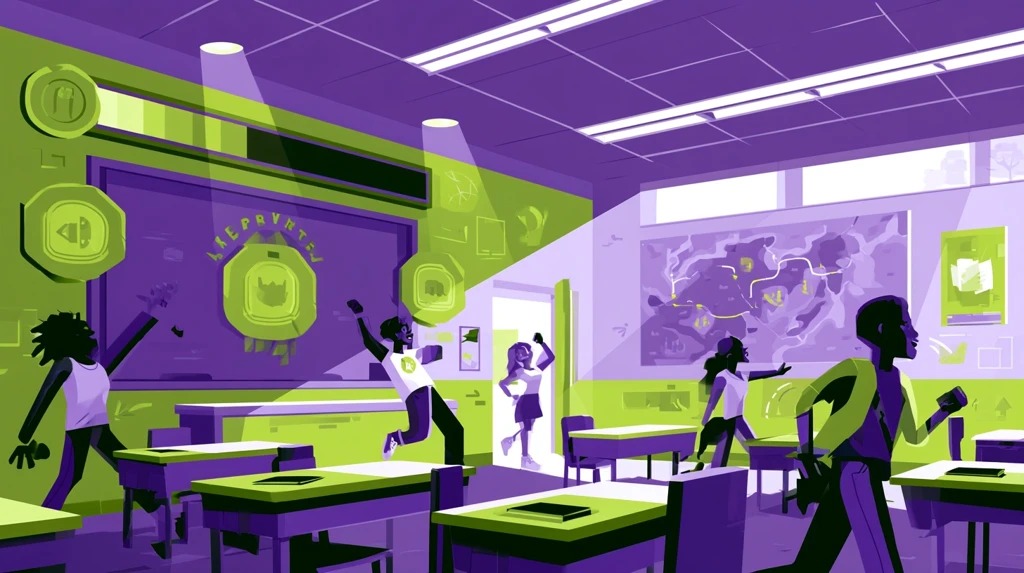
Classroom transformed into a game world with XP bar and quest map

Full Systems (Semester Commitments)

11. Classroom RPG

Characters, quests, guilds, narrative — the Classcraft-style deep end. Enormous engagement for the teachers who sustain it; start second semester, not September.

12. Simulation economies

Classroom currency, jobs, rent, auctions — teaches economics as a side effect. Bounded scope (one quarter) keeps the bookkeeping sane.

13. Narrative units

Frame a whole unit as a story students progress through — an expedition, a mystery, a trial. Content unchanged; wrapper changes everything for younger grades.

The Rules That Keep It Working

14. Never gamify grades

Game elements motivate practice; grades certify learning. The moment leaderboard position affects report cards, anxiety replaces play (and your accommodation principles collapse).

15. Watch for the novelty cliff

Every mechanic decays. Rotate quarterly, retire what flattens, and keep the reliable core: fast feedback and visible progress — which, stripped of costume, is just good engagement practice.

Frequently Asked Questions

Does gamification work for high schoolers?

Yes, with dignity intact: strategy (XP optimization, Gimkit-style economies) over cuteness. Seniors will grind XP they would mock as stickers.

How much time does this cost weekly?

Quick wins: zero after setup. XP/badge systems: ~20 minutes weekly of bookkeeping (a spreadsheet or platform automates most). RPGs: real time — budget honestly.

What about students who do not care about games?

Keep participation in mechanics optional where possible; the underlying practice is what matters, and choice itself is a game mechanic.

Where do I start tomorrow?

One live review game this week, one visible unit progress bar next week. Evidence before infrastructure.

TheQuizizz.com is an independent guide and is not affiliated with any platform mentioned.

Home/Blog/Online PD Courses for Teachers: Free & Credit-Bearing Options (2026)

Online PD Courses for Teachers: Free & Credit-Bearing Options (2026)

Published August 22, 2026By 277hostingerroot@proton.me
Teacher climbing a staircase of books toward a graduation cap

Professional development sits at an odd intersection: you need hours for license renewal, your district needs boxes checked, and you actually want to get better at the job. The good news in 2026 — high-quality online PD for teachers now spans free micro-credentials to graduate credit, and knowing the landscape means never paying for what free options cover. Here is the map, organized by what you need the hours to do.

First: Know What Your Hours Must Count For

Before enrolling anywhere, check your state's renewal rules and your district's approval process: some accept any documented hours, some require pre-approved providers, and salary-schedule advancement usually demands graduate credit from an accredited institution. Ten minutes with HR saves buying the wrong certificate.

Free PD That Actually Teaches

Platform certifications from edtech companies

Google for Education certifications (Level 1/2, Trainer), Microsoft Educator programs, Apple Learning Coach, and the training academies of major classroom platforms — including quiz and assessment tools — are free, self-paced, and respected on resumes because they demonstrate applied skill. Many pair naturally with tools you already use daily (Wayground, formative assessment stacks).

Subject and pedagogy MOOCs

Coursera, edX, and FutureLearn carry university-authored courses on learning science, literacy, SEL, and classroom management — free to audit, paid only if you need the certificate. The learning-science courses pay off fastest in practice (retrieval, spacing, feedback — the science behind quiz-based learning).

Webinars, summits, and micro-PD

Education conferences moved half their content online and free: subject-association webinars, edtech summit replays, and structured PD podcasts. Keep a simple hours log with certificates where offered; most states accept documented webinar hours.

Teacher climbing a staircase of books toward a graduation cap

Paid, Credit-Bearing PD

University graduate credit (for the salary schedule)

Regionally accredited universities sell 1–3 graduate-credit PD courses ($150–$600/credit typical) built for license renewal and lane changes. Verify BEFORE paying: accreditation, district acceptance, and whether credits apply to your salary lane — the lane change usually repays the cost within a year or two.

National Board Certification

The heavyweight: a multi-year portfolio process with real stipends/raises attached in many states. Highest effort, highest professional payoff of anything on this page.

Specialized credentials

Reading science (LETRS-style), ESL/bilingual endorsements, special education certificates, and computer-science supplements respond directly to where hiring demand is — districts increasingly fund these; ask before self-paying.

Building a PD Year That Serves You

  1. Fall: one free platform certification tied to a tool you will use weekly — immediate classroom payoff (AI tool skills are the current differentiator on resumes).
  2. Winter: the compliance hours via webinars/MOOCs, logged as you go.
  3. Spring: one deeper course in your growth area — assessment design (start here), engagement (or here), or your subject.
  4. Ongoing: if a lane change is within reach, prioritize graduate credits over everything else — it is the only PD that permanently raises pay.

Frequently Asked Questions

What free PD is most respected?

Google/Microsoft/Apple educator certifications and National Board component work — both signal applied skill, not seat time.

Do online hours count for license renewal?

In most US states yes, with documentation; pre-approval rules vary. Your state DOE page and HR office are the authorities.

Are paid certificate courses worth it without credit?

Rarely, unless the specific credential is named in job postings you want. Free covers knowledge; pay only for credit or named credentials.

How do I get my district to fund PD?

Tie the request to a district priority (literacy, MTSS, technology integration), name the outcome you will bring back, and ask before budget season closes in spring.

TheQuizizz.com is an independent guide. Verify accreditation, cost, and acceptance with providers and your district before enrolling.

Home/Blog/Classroom Technology Grants: How Teachers Get Funding in 2026

Classroom Technology Grants: How Teachers Get Funding in 2026

Published August 22, 2026By 277hostingerroot@proton.me
Treasure chest of grant funding opening above a school building

The devices, software, and training your classroom needs usually exist one funding application away. Billions of dollars in classroom technology grants go out every year from federal programs, states, foundations, and corporations — and smaller grants routinely go under-applied-for. This guide maps where the money lives in 2026, what funders actually want to read, and a realistic application calendar for a working teacher.

Where the Money Lives

Federal and state streams (the big, slow money)

Title I (low-income schools), Title IV-A (well-rounded education and technology), IDEA funds (assistive technology for students with disabilities), and state EdTech initiatives flow to districts rather than individual teachers — your move is asking your principal or curriculum director what is available and what the request process looks like. Many districts leave Title IV-A technology allocations partially unspent for lack of teacher requests.

DonorsChoose (the teacher's workhorse)

Not technically a grant — a crowdfunding platform built for public-school teachers — but it funds more classroom technology than most foundations: devices, robotics kits, headphones, subscriptions. Projects with clear student impact and modest asks ($300–$800) fund fastest, and corporate match days regularly complete projects overnight.

Corporate and foundation grants

Recurring names worth watching: Best Buy Foundation (teen tech), Toshiba America Foundation (STEM projects, rolling deadlines for smaller asks), Voya Unsung Heroes, NEA Foundation grants, Walmart local community grants, and utility-company education funds in most states. Individual awards run $500–$5,000 — small enough to be winnable, big enough for a device cart's worth of impact over two cycles.

STEM-specific programs

If your ask involves coding, robotics, or science equipment, the field widens: state STEM networks, NSF-adjacent outreach programs, and industry foundations (defense, energy, tech) all fund classroom hardware. Pair the request with free curriculum from our STEM resources roundup to strengthen the "ready to implement" story.

What Funders Actually Want to Read

  1. A student problem, not a shopping list. "My students cannot get individual feedback during practice" beats "We need 30 tablets." The technology is the solution's delivery mechanism.
  2. Numbers that already exist: your class's data — participation rates, assessment gaps (your quiz reports are literally grant evidence), free-lunch percentage — grounds the need.
  3. A measurable outcome: "80% of students will reach mastery on weekly checks by spring" gives the funder an ending to their story.
  4. Sustainability in one sentence: what happens after the grant — free-tier software (plenty exists), district wifi, your training — reassures them the hardware will not become a closet.
  5. Photos and specificity: real classroom detail out-competes eloquent generality every time.
Treasure chest of grant funding opening above a school building

A Working Teacher's Grant Calendar

  • August–September: post one DonorsChoose project (device or subscription need for the new year); ask admin about Title IV-A requests.
  • October–December: one corporate application (Toshiba rolling / Best Buy fall cycle); match-day season on DonorsChoose around the holidays.
  • January–March: the big cycle — NEA, Voya, and most foundation deadlines cluster here. Reuse your fall application's core paragraphs.
  • April–May: document outcomes (photos, before/after data) — the material that makes next year's applications near-automatic.

Time cost honestly stated: the first application takes an evening; every subsequent one reuses 70% of it. One funded project per year is a realistic floor for a teacher who applies three times.

Writing It Faster

AI assistants draft grant narratives well when fed your specifics — the same constraint-rich prompting as our lesson planning guide: paste the funder's questions, your student problem, your data, and ask for a draft in your voice, then edit for accuracy. Never let the draft invent statistics; funders spot padding instantly.

Frequently Asked Questions

Can individual teachers apply, or only schools?

DonorsChoose and most corporate mini-grants: individual teachers. Federal streams and large foundations: district-level, requested through admin. Split your effort accordingly.

What is the easiest first win?

A $400–$600 DonorsChoose project with one clear student story, posted in early fall. Most first-time projects fund within weeks.

Do private and charter school teachers qualify?

DonorsChoose covers US public and charter schools; private-school teachers should target corporate and community foundation grants without public-school restrictions.

What if my grant is rejected?

Ask for reviewer feedback where offered, tighten the outcome section, and resubmit next cycle — repeat applications with sharpened metrics fund at much higher rates.

TheQuizizz.com is an independent guide. Program details change; verify current deadlines and eligibility with each funder.